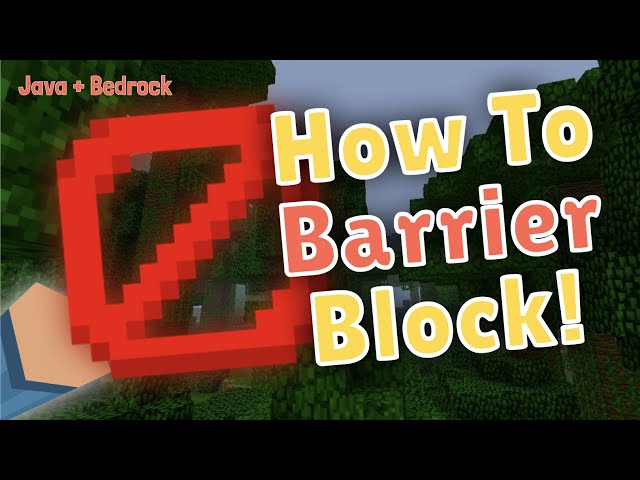
🛠️ How to Get the Barrier Block: Type “/give @s barrier” to obtain the block in both Java and Bedrock editions.
🧱 Features of the Barrier Block: The barrier block is unbreakable and players cannot pass through it.
🌍 Compatibility: The method to get the block works the same on both Minecraft Java and Bedrock editions, though the interface might vary.
👀 Visibility in Survival Mode: In survival mode, players cannot see or break the barrier block, even when holding it.
👍 Like and Subscribe: Viewers are encouraged to like the video and subscribe for more content.
📹 Other Videos: The creator recommends checking out other videos, including one about the debug stick.
“`
Video Blog Post
“`html
How to Get and Use the Minecraft Barrier Block in Java and Bedrock Editions
Discover the secrets to obtaining the elusive Barrier Block in Minecraft Java and Bedrock Editions. Learn how to use this powerful, unbreakable block in your Minecraft worlds.
Introduction to the Barrier Block
The Barrier Block in Minecraft is one of the most unique and practical blocks available to players. Completely unbreakable, it serves as the perfect tool for creating invisible boundaries in your world. Whether you’re building an adventure map or protecting your creations from other players, understanding how to obtain and use the Barrier Block can enhance your gameplay.
How to Obtain the Barrier Block
Step-by-Step Guide
Acquiring a Barrier Block is a simple task in both Minecraft Java and Bedrock Editions. Follow these steps to add this useful block to your inventory:
Open your Minecraft world in either Java or Bedrock Edition.
Ensure you are in Creative Mode to access the necessary commands.
Activate the game’s chat feature.
Type /give @s barrier into the chat box. This command is the same for both Java and Bedrock Editions.
Upon typing this command and hitting enter, a Barrier Block will be added to your inventory. You can repeat this command to acquire additional Barrier Blocks as needed.
Understanding the Properties of the Barrier Block
The Barrier Block is invisible in Survival Mode, making it ideal for creating hidden boundaries or invisible walls. Here are some key attributes of the Barrier Block:
Unbreakability: Only players in Creative Mode can break or place these blocks. In Survival Mode, the blocks are unseeable and unbreakable.
Invisibility: When held in Creative Mode, the Barrier Block becomes visible, allowing you to see and place it effectively. Once placed and the block is deselected, it becomes invisible again.
Practical Uses of the Barrier Block
Now that you know how to acquire and understand the Barrier Block, you can leverage its properties for various applications within your Minecraft world:
Adventure Maps: Create controlled pathways or restrict access to certain areas for players, enhancing the gameplay experience.
Visible Boundaries: Use Barrier Blocks to delineate areas within builds without obstructing views.
Aesthetic Builds: Combine Barrier Blocks with custom textures or resource packs to craft unique structures or illusions.
Conclusion
The Barrier Block is an incredible addition to any Minecraft world. Its unbreakable and invisible nature makes it invaluable for map creators and players looking to control their environment subtly. By following the simple steps outlined above, you can easily acquire and utilize this powerful tool in both Java and Bedrock Editions of Minecraft.
“`
Video Transcript
Hey everybody, it’s UnderMyCap, and welcome back to another video! Today, I’m going to be showing you how to get the barrier block in Minecraft Java and Bedrock Edition. This block is really cool; it’s unbreakable and very interesting to use.
So basically, to get it, it’s really simple. All you have to do is type in /give @s barrier. This is the same on Bedrock as well. The GUI will look different, but that’s all you need to type in. As you can see, I just received another one.
This block is really neat. As you can see—I mean, if I had auto-jump off—you can see that I can’t actually get through it. When I’m in survival mode, I also cannot break it. In survival, you can’t even see this block. Even if I hold it, it will not appear, but you can see that I still cannot get through it or break it.
That’s about it! If you enjoyed the video, don’t forget to leave a like and subscribe. Also, check out a few of my other videos, such as the debug stick video; that one’s really cool too. Thank you so much for watching, and I can’t wait to see you in the next video. See ya!
This post has used AI to generate and enhance content
Thank you for reading this post.
If you want to connect with me on other social media platforms, feel free to use the button below. Have an awesome day!
This is a portable monitor, and it’s so small. To set this up, all you have to do is plug it into the monitor and…
I am actually so excited. This is a strap I ordered for my Meta Quest. This is not sponsored, by the way. I’ve been waiting…
This isn’t the official Nintendo Switch case, but it is affordable. It has a nice hard shell and bumpers to support your Joy-Cons. When you…
The short answer is no, but the long answer is yes. You do need an adapter, but it’s really simple. I went on Amazon and…
Someone asked if this awesome case comes with the monitor. The answer is yes, it does. What’s really cool about this case is that it’s…
Okay, guys, this is the portable mini monitor. The resolution is super high quality—1080p Full HD. I 100% recommend it. You can see it’s plugged…
To get it set up, all you have to do is plug it into the monitor and plug it into your computer. This doesn’t need…
I’m vanilla, baby. I’ll choke you, but I ain’t no killer, baby. She’s 28, telling me I’m still a baby. I get love in Detroit…
When I purchased my Canon camera, this was actually free on Canon’s website. It’s an awesome tripod that allows you to control your camera, and…
This is an awesome remote tripod with its own integrated button control panel and an awesome way to connect your camera. Seriously, I didn’t know…
-
Quick-release tripod mounts are super useful. All you have to do is screw one into your tripod, then grab your other device—like a camera—and snap…
Today, let’s unbox these awesome Levo microphones. As you can see, they come with a charging case. Inside the case, there’s a receiver and two…
This is one of the best mouse mats I’ve ever purchased. It’s made of a really nice felt, which makes it look quite good on…
The really cool thing about the phone grip is that it’s made out of metal. Compared to this really low-quality one I have from online—which…
Please note: if you install a glass screen protector on a camera with a screen that flips inward, you unfortunately won’t be able to close…
A lot of people use Photoshop and other programs to cut the image out of the background, but I’m going to show you how to…
One of the most awesome features I’ve found with this mouse is that you can connect it to up to three devices. If I press…
One of the most awesome features I’ve found with this mouse is that you can connect up to three devices. At the very bottom (I’m…
The keyboard supports multi-device connectivity with three FN keys, letting you connect up to three computers via Bluetooth or a Logitech Bolt receiver. The Bolt…



 Thank you for reading this post.


