🔨 Introduction to the Debug Stick: This item helps improve building in Minecraft.
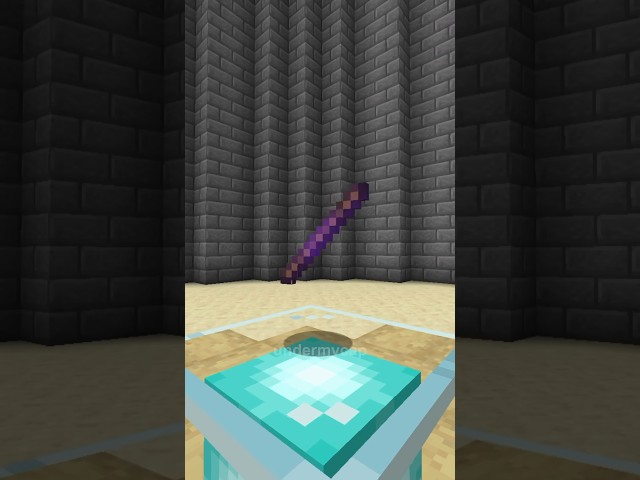
🔍 What is the Debug Stick? It’s used by developers to test Block States.
🛠️ Building Tool: The Debug Stick can change the appearance of blocks in Minecraft.
⌨️ How to Obtain: Enter a specific command in the command section on Java version.
👍 Encourage Engagement: The video invites viewers to subscribe and like for more tips.
“`
Video Blog Post
“`html
How to Get the Secret Debug Stick in Minecraft with a Simple Command
Are you looking to improve your building skills in Minecraft? There’s a hidden tool that might just be your new favorite item: the Minecraft Debug Stick. Originally intended for developers to test block states, this item can be a game-changer for builders. But how exactly do you get it? Let’s dive into this simple command that unlocks the secret of the Debug Stick, ensuring you have a unique edge in your Minecraft creations.
What is the Debug Stick?
The Debug Stick is a fascinating tool available in Minecraft’s Java Edition. Used primarily by developers, this stick lets you alter block states effortlessly. You can change the orientation or appearance of certain blocks without needing extra materials. It’s perfect for builders looking to customize structures and landscapes beyond the standard limitations.
Why Use the Debug Stick?
For passionate builders, the Debug Stick is indispensable. Here’s why:
Fine-Tuned Control: Adjust block details that are otherwise unchangeable in regular gameplay.
Customizations Galore: Modify aesthetics to perfectly match your build’s theme, enhancing visual appeal.
Efficient Building: Save time and resources by directly altering block states instead of crafting new ones.
How to Obtain the Debug Stick
Now, here’s the magic: obtaining your very own Debug Stick is simpler than you might think. Just follow these steps:
Open your Minecraft Java Edition and load your chosen game world.
Ensure you have cheats enabled. If you’re not sure, you might need to open your world to LAN and choose “Allow Cheats.”
Press “T” to open the command console.
Type the following command:
/give @s minecraft:debug_stick
Press “Enter,” and voilà – the Debug Stick is now in your inventory!
Using the Debug Stick in Your Builds
With the Debug Stick in hand, experiment with its capabilities. Here’s how you can use it effectively:
Target a block and right-click to cycle through available states.
Shift+right-click to toggle between different properties of the block.
Create asymmetrical designs without additional resources, giving your builds a unique touch.
Experiment with redstone components; change their active states to devise intricate machinery setups.
Your builds can reach new heights of creativity by integrating subtle design elements that reflect your personal style. Impress your friends with innovative architectural solutions.
Community Benefits of the Debug Stick
The Minecraft community thrives on innovation and creativity. Introducing the Debug Stick into your toolkit not only benefits personal projects but contributes to the broader community by:
Inspiring other builders with unique designs that defy conventional patterns.
Collaborating on community projects where customized block states are key to the desired aesthetic.
Encouraging new players to explore advanced building techniques, fostering a culture of learning and sharing.
Keep Learning and Building
With the Debug Stick now part of your inventory, continue exploring its possibilities. Minecraft constantly evolves, and as you expand your knowledge, so too does your potential for creativity. Engage with fellow players, share your innovative builds, and stay updated on the latest Minecraft developments to keep enhancing your gameplay experiences.
“`
Video Transcript
If you want to get better at building in Minecraft, then this item is for you. This is called the Minecraft debug stick, and it’s used by developers to test for block states. Luckily for us, it can also be used as a building tool to change the look of your blocks. So, how do I actually get this? Simply type this command into your command section on Java and hit enter. Subscribe and like for more.
This post has used AI to generate and enhance content and uses ads to maintain funding for the site
Thank you for reading this post.
If you want to connect with me on other social media platforms, feel free to use the button below. Have an awesome day!
I went AFK and returned to find my friend had trapped me in a bedrock cage. I spotted an unreachable end pearl on the ground.…
Hey everybody, it's Under My Cap. Today I'm showing you the place feature command in Minecraft, a hidden feature that lets you place environmental natural…
-
Okay, close your eyes and keep them shut. I’m going to try to blend in over here, and hopefully you can’t find me. Okay, you…
This is a portable monitor, and it’s so small. To set this up, all you have to do is plug it into the monitor and…
I am actually so excited. This is a strap I ordered for my Meta Quest. This is not sponsored, by the way. I’ve been waiting…
This isn’t the official Nintendo Switch case, but it is affordable. It has a nice hard shell and bumpers to support your Joy-Cons. When you…
The short answer is no, but the long answer is yes. You do need an adapter, but it’s really simple. I went on Amazon and…
Someone asked if this awesome case comes with the monitor. The answer is yes, it does. What’s really cool about this case is that it’s…
Okay, guys, this is the portable mini monitor. The resolution is super high quality—1080p Full HD. I 100% recommend it. You can see it’s plugged…
To get it set up, all you have to do is plug it into the monitor and plug it into your computer. This doesn’t need…
I’m vanilla, baby. I’ll choke you, but I ain’t no killer, baby. She’s 28, telling me I’m still a baby. I get love in Detroit…
When I purchased my Canon camera, this was actually free on Canon’s website. It’s an awesome tripod that allows you to control your camera, and…
This is an awesome remote tripod with its own integrated button control panel and an awesome way to connect your camera. Seriously, I didn’t know…
-
Quick-release tripod mounts are super useful. All you have to do is screw one into your tripod, then grab your other device—like a camera—and snap…
Today, let’s unbox these awesome Levo microphones. As you can see, they come with a charging case. Inside the case, there’s a receiver and two…
This is one of the best mouse mats I’ve ever purchased. It’s made of a really nice felt, which makes it look quite good on…
The really cool thing about the phone grip is that it’s made out of metal. Compared to this really low-quality one I have from online—which…
Please note: if you install a glass screen protector on a camera with a screen that flips inward, you unfortunately won’t be able to close…


 Thank you for reading this post.
 Thank you for reading this post.


