📝 How to spawn a chicken in Minecraft using one command: Type “/summon chicken” in the chat.
🎮 Adding a passenger (like a jockey) to the chicken: Use specific command syntax with “passengers” and “id”.
🚸 Summoning a baby chicken with a jockey: Include parameters to make the chicken a baby and add the jockey as a passenger.
🔧 Detailed command structure: Explains the correct way to write the command with brackets and case-sensitive parts.
👍 Like and subscribe: Reminder to support the channel for more tutorials.
Video Blog Post
“`html
Summon Chicken Jockeys in Minecraft with One Simple Command!
Welcome to this exciting Minecraft tutorial where we’re going to explore how to summon one of the game’s oddest and most entertaining mobs—Chicken Jockeys. If you’ve ever wandered the pixelated plains of Minecraft and witnessed the amusing sight of a tiny baby zombie riding a chicken, you know just how delightful (and potentially deadly) this spectacle can be. For those of you who are eager to create this lively combination yourself, you’ve come to the right place. With just one simple command, you’ll have these entertaining creatures wandering around your Minecraft world.
Why Summon Chicken Jockeys?
Chicken Jockeys are more than just amusing—they can be an essential part of your Minecraft experience. Whether you’re interested in adding complexity to your survival games, needing a new enemy for your adventure maps, or just wanting to spice up your Let’s Play series with something unexpected, Chicken Jockeys can provide hours of entertainment.
Not only does it make for an interesting visual, but it also poses a unique challenge. These mobs can climb obstacles much easier than a regular zombie, thanks to their feathered mounts, making them a mobile threat to your blocky domain.
Summon Chicken Jockeys Using One Simple Command
Ready to create some chaos? Here’s how you can summon a Chicken Jockey with just one simple command in Minecraft. Follow the steps closely and you’ll have your own Chicken Jockeys in no time.
Step-by-step Command Guide
First, open up your chat window in Minecraft and type the following command:
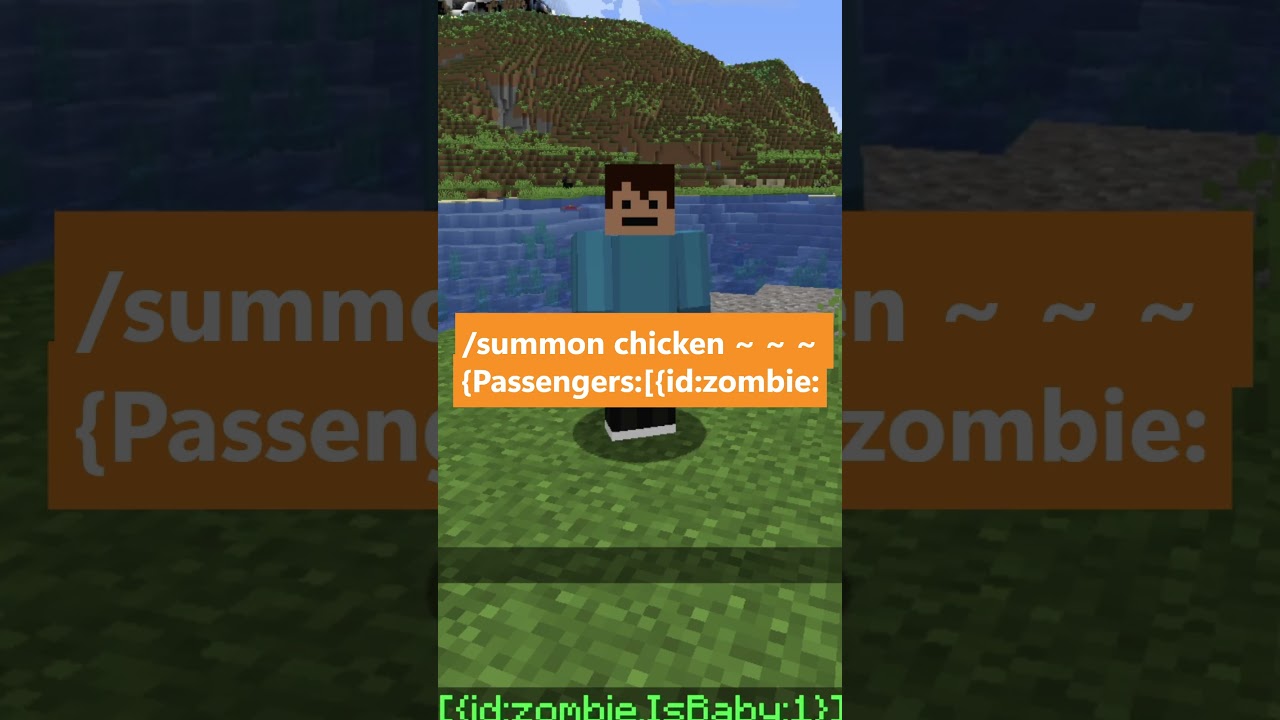
/summon chicken
Next, you’re going to input a series of brackets and identifiers to configure the mob’s attributes accurately. Follow this precise instruction:
/summon chicken: Starts the command by calling forth a chicken into your game world.
~ ~ ~ : Uses the tilde symbols to indicate that you want to summon the mob at your current location.
{Passengers:[{id:zombie,IsBaby:1}]}: These brackets configure the details of your summoned creature. ‘Passengers’ indicate we want the chicken to carry another entity. The ID ‘zombie’ ensures it spawns a zombie, and ‘IsBaby:1’ turns that zombie into a baby, completing the Chicken Jockey.
Final Tips and Tricks
While this command is a fantastic way to bring some fun into your game, understanding its components offers you a lot of flexibility. For example, you could alter the ‘id’ to summon other types of passengers on your chicken if you wish to experiment further.
Don’t forget that while Chicken Jockeys are fun, they are also potentially dangerous in survival mode. A well-placed enclosure or a creative ‘battle arena’ setup might be best to enjoy their antics without putting your structures at risk.
Finally, subscribe to our channel for more tips, tricks, and commands that turn your Minecraft world into something truly unique. Or visit our YouTube channel for the original video and more in-depth content!
“`
Video Transcript
How to spawn a chicken in Minecraft with one command. Let’s do this!To summon a chicken, simply type in the command: /summon chicken. Then, we will add three tilde symbols with a space in between. Next, we type in curly brackets, followed by a capital ‘P’ for passengers, then a colon and a square bracket.Now, inside another curly bracket, we type ‘id’ (in lowercase), followed by a colon and ‘zombie’ (also in lowercase).Now, here’s the careful part: we need to ensure that we include an uppercase ‘I’, followed by a lowercase ‘s’, an uppercase ‘B’, and then a lowercase ‘a’, ‘b’, ‘y’. This should look like this: ‘I s B a b y’. After that, we add a colon, one curly bracket, a square bracket, and then another curly bracket.Once you do this, you should be able to spawn in a baby jockey. Subscribe and like for more!
This post has used AI to generate and enhance content and uses ads to maintain funding for the site
Thank you for reading this post.
If you want to connect with me on other social media platforms, feel free to use the button below. Have an awesome day!
I went AFK and returned to find my friend had trapped me in a bedrock cage. I spotted an unreachable end pearl on the ground.…
Hey everybody, it's Under My Cap. Today I'm showing you the place feature command in Minecraft, a hidden feature that lets you place environmental natural…
-
Okay, close your eyes and keep them shut. I’m going to try to blend in over here, and hopefully you can’t find me. Okay, you…
This is a portable monitor, and it’s so small. To set this up, all you have to do is plug it into the monitor and…
I am actually so excited. This is a strap I ordered for my Meta Quest. This is not sponsored, by the way. I’ve been waiting…
This isn’t the official Nintendo Switch case, but it is affordable. It has a nice hard shell and bumpers to support your Joy-Cons. When you…
The short answer is no, but the long answer is yes. You do need an adapter, but it’s really simple. I went on Amazon and…
Someone asked if this awesome case comes with the monitor. The answer is yes, it does. What’s really cool about this case is that it’s…
Okay, guys, this is the portable mini monitor. The resolution is super high quality—1080p Full HD. I 100% recommend it. You can see it’s plugged…
To get it set up, all you have to do is plug it into the monitor and plug it into your computer. This doesn’t need…
I’m vanilla, baby. I’ll choke you, but I ain’t no killer, baby. She’s 28, telling me I’m still a baby. I get love in Detroit…
When I purchased my Canon camera, this was actually free on Canon’s website. It’s an awesome tripod that allows you to control your camera, and…
This is an awesome remote tripod with its own integrated button control panel and an awesome way to connect your camera. Seriously, I didn’t know…
-
Quick-release tripod mounts are super useful. All you have to do is screw one into your tripod, then grab your other device—like a camera—and snap…
Today, let’s unbox these awesome Levo microphones. As you can see, they come with a charging case. Inside the case, there’s a receiver and two…
This is one of the best mouse mats I’ve ever purchased. It’s made of a really nice felt, which makes it look quite good on…
The really cool thing about the phone grip is that it’s made out of metal. Compared to this really low-quality one I have from online—which…
Please note: if you install a glass screen protector on a camera with a screen that flips inward, you unfortunately won’t be able to close…


 Thank you for reading this post.
 Thank you for reading this post.


