🎨 Minecraft particles are visually appealing! – They add cool effects to your gameplay.
🔍 Particles help locate dropped items! – Use them to find items easily, especially in the dark.
🐾 Particles can reveal mobs! – They help you see creatures like bats and villagers more clearly.
🏹 Particles track your bow shots! – Use them to see where your arrows land.
🌟 Create custom trails with particles! – Add unique effects around your player while moving.
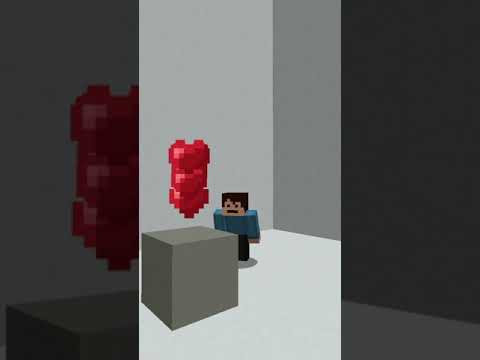
🪧 Use particles for custom block effects! – Enhance how blocks look with added particle effects.
🌍 Enhance your environment with particles! – Make your game world look awesome and immersive.
“`
Video Blog Post
“`html
Why You Should Use Particles in Minecraft
Welcome to the magical world of Minecraft! Whether you are a beginner or a seasoned builder, understanding the nuances of this game is key to enhancing your online adventures. Today, we’ll explore one of the most fun and creative features in Minecraft—particles. They’re not just a visual treat; they offer several practical uses that can upgrade your gameplay experience. In this post, we’ll discuss seven compelling reasons why you should utilize particles in your Minecraft world.
1. Visual Appeal
First and foremost, particles in Minecraft look incredibly cool. They add a layer of aesthetic beauty to your virtual domain, creating an engaging and vibrant gaming environment. Whether you’re aiming for a magical forest or a bustling marketplace, particles can enhance the visual splendor of your world. Ever wanted your landscape to twinkle like a fairy-tale realm? Particles can make that happen.
2. Locate Dropped Items
Have you ever dropped an item in the game and found it difficult to locate, especially at night? Particles can be a valuable aid in these situations. By using particles, you can easily trace where your dropped items have fallen. Particles light the path to your valuable items, making nighttime scavenging less daunting and more efficient.
3. Spotting Mobs
Recognizing mobs such as bats, villagers, or cows can sometimes be challenging, particularly in vast landscapes. Particles can be used to highlight these entities, ensuring you miss nothing. With particles, mobs become easier to spot, making it simpler to manage your interactions with them, whether it’s for combat or for farming purposes.
4. Track Bow Shots
One of the coolest uses of particles is to track your bow shots. When shooting arrows, particles allow you to see the arrows’ trajectory clearly, helping you improve your aim and precision. Accurate shooting can be the difference between victory and defeat, and particles provide a fantastic way to refine your archery skills.
5. Custom Trails
Add a personal touch to your in-game character by creating custom trails around your player with particles. Transform your movements into an artistic expression by leaving colorful trails behind as you journey through the Minecraft world. This feature adds a dynamic and personalized flair to your character’s adventures.
6. Custom Block Effects
Why not give your blocks a makeover with custom effects? Particles can be used to create stunning custom block effects, offering you limitless creativity. Whether for decorative purposes or to mark special areas, particles help differentiate blocks, adding depth and interest to your constructions.
7. Environmental Enhancement
Last but certainly not least, particles can be used to enhance the overall environment of your Minecraft world. Imagine walking through a serene pixelated forest with leaves gently descending around you or witnessing volcanic ash in an erupting mountain scene. Particles make your environment look breathtaking, enabling you to craft an immersive experience that’s both mesmerizing and impactful.
“`
Video Transcript
Here are seven reasons why you should use Minecraft particles in your world.1. Minecraft particles look really cool, and they can enhance your gameplay experience.
2. You can use particles to locate items that you have dropped, especially if you can’t see them at nighttime.
3. You can also use particles to see mobs such as bats, villagers, or cows—whatever you name it.
4. Particles can help you track where you shoot your bow, providing visual feedback on your aim.
5. You can create custom trails around your player using particles.
6. Another fantastic use of particles is to create custom block effects.
7. Lastly, particles can enhance your environment, making it look even more amazing.Don’t forget to follow and subscribe if you’re new. Thank you!
This post has used AI to generate and enhance content
Thank you for reading this post.
If you want to connect with me on other social media platforms, feel free to use the button below. Have an awesome day!
I went AFK and returned to find my friend had trapped me in a bedrock cage. I spotted an unreachable end pearl on the ground.…
Hey everybody, it's Under My Cap. Today I'm showing you the place feature command in Minecraft, a hidden feature that lets you place environmental natural…
-
Okay, close your eyes and keep them shut. I’m going to try to blend in over here, and hopefully you can’t find me. Okay, you…
This is a portable monitor, and it’s so small. To set this up, all you have to do is plug it into the monitor and…
I am actually so excited. This is a strap I ordered for my Meta Quest. This is not sponsored, by the way. I’ve been waiting…
This isn’t the official Nintendo Switch case, but it is affordable. It has a nice hard shell and bumpers to support your Joy-Cons. When you…
The short answer is no, but the long answer is yes. You do need an adapter, but it’s really simple. I went on Amazon and…
Someone asked if this awesome case comes with the monitor. The answer is yes, it does. What’s really cool about this case is that it’s…
Okay, guys, this is the portable mini monitor. The resolution is super high quality—1080p Full HD. I 100% recommend it. You can see it’s plugged…
To get it set up, all you have to do is plug it into the monitor and plug it into your computer. This doesn’t need…
I’m vanilla, baby. I’ll choke you, but I ain’t no killer, baby. She’s 28, telling me I’m still a baby. I get love in Detroit…
When I purchased my Canon camera, this was actually free on Canon’s website. It’s an awesome tripod that allows you to control your camera, and…
This is an awesome remote tripod with its own integrated button control panel and an awesome way to connect your camera. Seriously, I didn’t know…
-
Quick-release tripod mounts are super useful. All you have to do is screw one into your tripod, then grab your other device—like a camera—and snap…
Today, let’s unbox these awesome Levo microphones. As you can see, they come with a charging case. Inside the case, there’s a receiver and two…
This is one of the best mouse mats I’ve ever purchased. It’s made of a really nice felt, which makes it look quite good on…
The really cool thing about the phone grip is that it’s made out of metal. Compared to this really low-quality one I have from online—which…
Please note: if you install a glass screen protector on a camera with a screen that flips inward, you unfortunately won’t be able to close…



 Thank you for reading this post.
 Thank you for reading this post.


